

How AI Localization Saved My App Launch in 8 Languages
App store localization used to mean weeks of translators and drifting screenshots. Here's how AI localization got my app launched in 8 languages in days — and what still needs a human.
Launch week, 11pm, and I was staring at a German screenshot I could not read, trying to decide if the headline said what I meant or something faintly embarrassing. I'd committed to launching in eight markets. I speak one and a half of the languages. And the "localized" set my translator had sent back had captions overflowing their frames in three of them, because nobody had re-flowed the layouts — they'd just swapped the words.
That was the night I stopped treating app store localization as a translation task and started treating it as what it actually is: two jobs stacked on top of each other. Here's how AI localization got me across the line in eight languages in days instead of weeks — and, honestly, where it still needed a human.
Why localization is secretly two problems
Everyone thinks localizing an app listing means translating the words. That's half of it, and it's the easy half. The part that ate my launch was the other half:
- The words — title, subtitle, description, and screenshot captions, translated per market.
- The creative — every one of those translated strings has to fit. German runs long. Japanese wraps differently. A caption that sits perfectly in English overflows its frame in French and clips off the edge in Korean.
My translator handled problem one and handed problem two straight back to me. So for eight languages I was manually re-flowing text, re-exporting every device size, and eyeballing layouts in scripts I couldn't read. That's not translation. That's production hell wearing a translation invoice.
The eight languages (and why those eight)
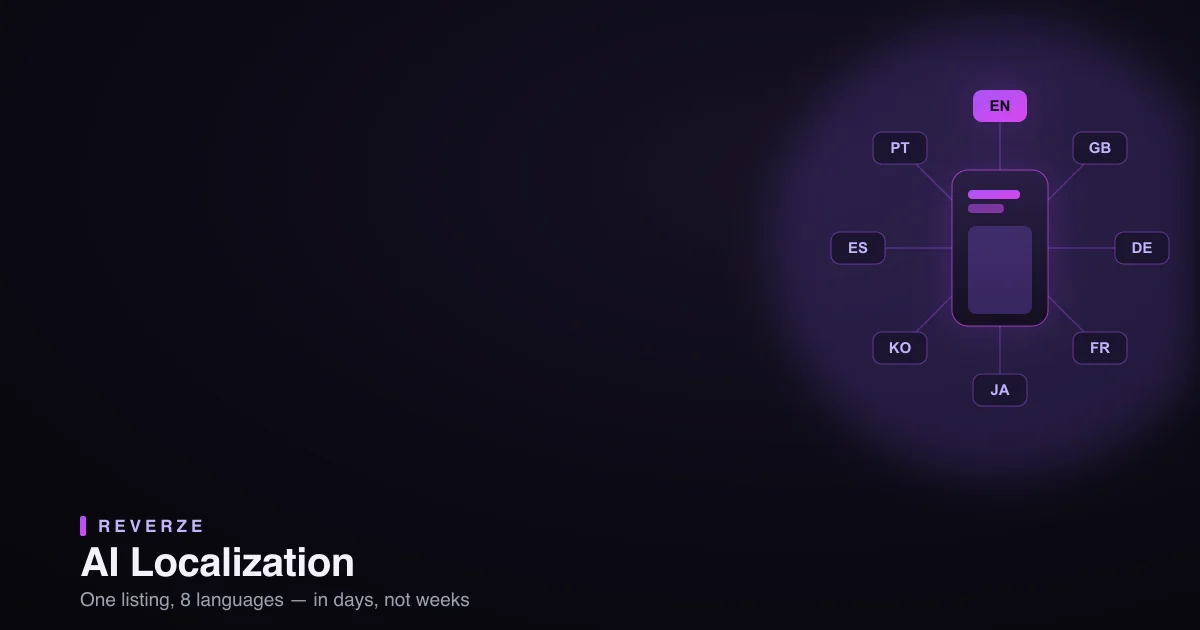
I launched into the set Reverze itself ships in: English, British English, German, French, Japanese, Korean, Mexican Spanish, and Brazilian Portuguese. That's not a random spread — it's the high-value spine of the App Store. Western Europe, the two biggest East Asian app economies, and Latin America's largest Spanish- and Portuguese-speaking markets. If you're picking your first languages, that's a defensible eight to copy.
How AI localization actually did the job
The unlock was handing both problems to the machine instead of splitting them between a translator and my exhausted self.
The words → AI translation, human-checked. I drafted the localized metadata with AI — fast, consistent, and it kept the ASO keywords intact instead of translating them into terms nobody searches. Crucial caveat, and I'll say it twice before this post ends: I did not ship raw machine translation. I had a native speaker sanity-check each market for the handful of lines that carry the brand. AI got me to 90% in minutes; the native pass fixed the 10% that would've been quietly embarrassing.
The creative → rebuilt per locale, automatically. This is the part that saved the launch. I pasted my App Store URL into Reverze's localization workflow and it rebuilt my screenshot set for every language at once — text re-flowed to fit each script, every device size exported together, the whole set staying visually consistent instead of drifting language to language. The overflow problem that had me up at 11pm just… wasn't a problem anymore, because the layout adapted to the translated string instead of the other way around.
The German screenshot I couldn't read? I still had a native speaker confirm the words. But it fit, it matched the other seven, and I didn't hand-build it. (For the sizing side of this, I keep the current per-device dimensions in the free Screenshot Size Converter so exports are never the bottleneck.)
Does localization actually move the numbers?
Yes, and it's not subtle. Localized listings consistently outperform English-only ones in non-English markets — people download apps that speak their language, and the App Store surfaces listings that match the user's locale. The exact lift depends on your category and markets, but "meaningful, not marginal" is the honest summary. The mistake isn't localizing; it's half-localizing — translating the words but shipping screenshots that look machine-translated. That undoes the trust the translation was supposed to build. (It's the same clarity principle behind what the winning listings do — a localized set still has to be a good set.)
What AI localization can't do (the honest caveat)
I promised to say it twice: do not ship raw machine translation. AI is phenomenal at the volume and the layout — the exhausting, repetitive 90%. It is not a native speaker, and it will occasionally produce something that's technically correct and culturally off. The move that worked for me was AI for the draft and the production, a native pass for the brand-critical lines. That combination got me eight languages in days, at a cost that made launching in eight markets actually possible for a solo founder — instead of a luxury I'd have cut down to two.
Which languages first, if you're starting
If eight feels like a lot, start with the biggest gap between "people who'd love your app" and "people who can currently read your listing." For most apps that's German, French, Japanese, and Spanish before the rest. Add markets as the downloads justify the effort — and since AI localization makes each additional language cheap, "the effort" is a much lower bar than it used to be.
The real lesson
My launch wasn't saved by translation. It was saved by refusing to treat localization as only translation — and then letting AI own both the words and the layout so eight languages became a few days of work with a native pass on top, instead of the multi-week, frame-by-frame ordeal that had me up at 11pm doubting a headline I couldn't read.
If you've been putting off launching in other languages because the production felt impossible, that's the part that changed. The words were never the hard part. The hundred screenshots behind them were — and those, now, you don't build by hand.
Reverze is the AI-native studio for App Store creative — rebuild your screenshots into every language and device size at once, and export production-ready assets in minutes. Start in the app or explore the free tools.